Steplight
Student planning and focus app
I designed and built Steplight on my own. It turns a day’s obligations into small steps you can start, times the work, and closes the day with an honest result.
The work, annotated
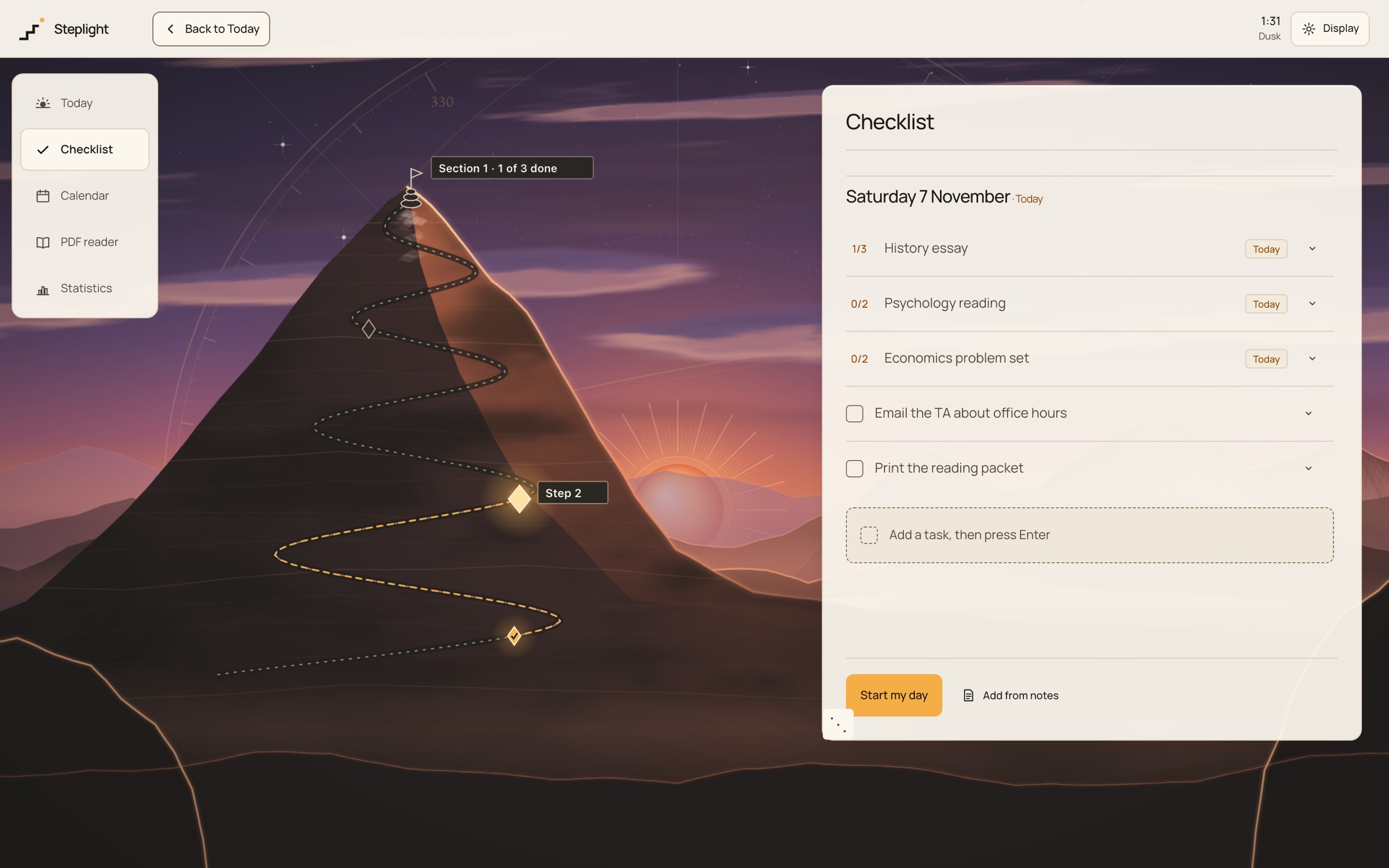
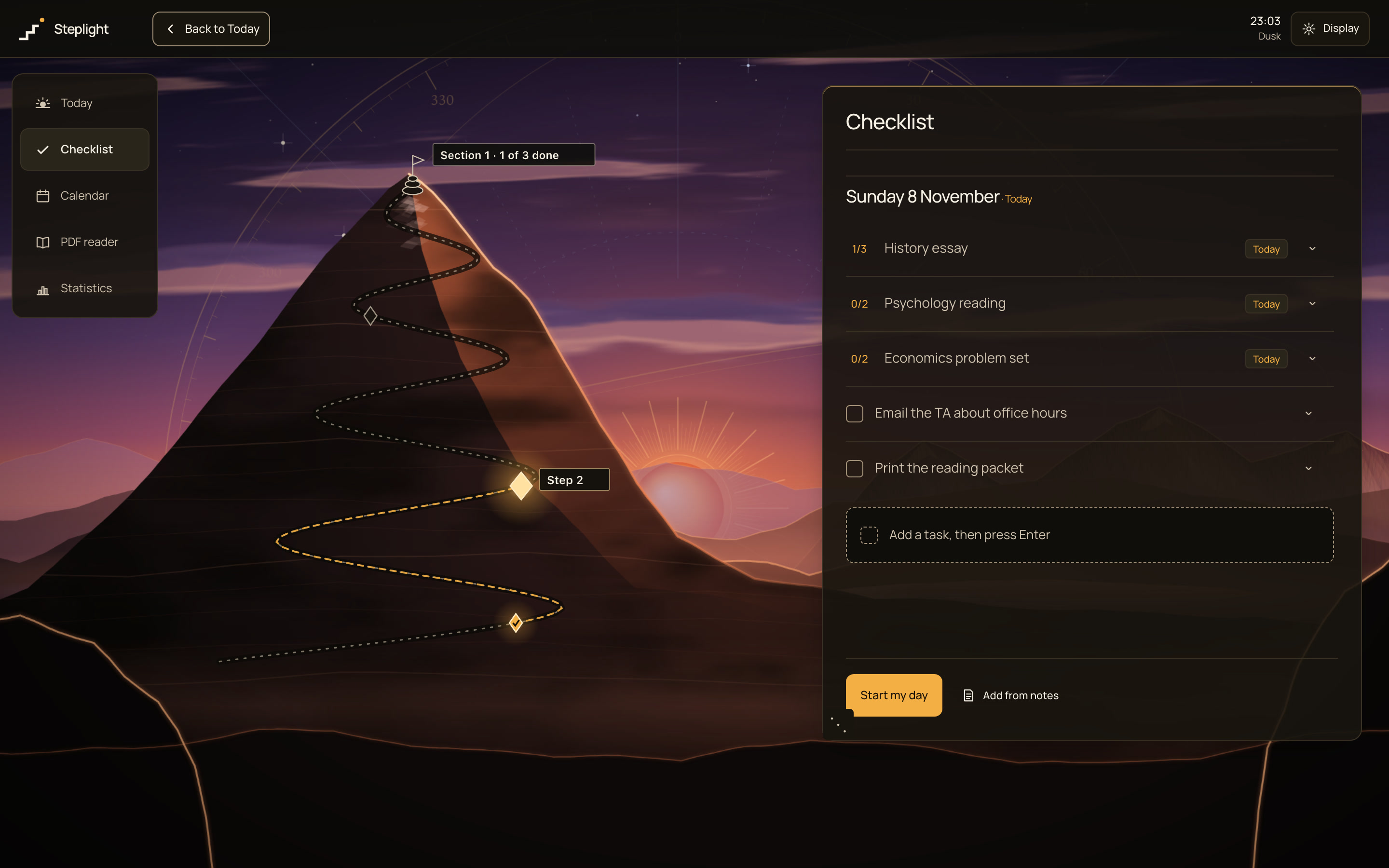
- Write a line, press Enter, and the next row is ready. The Checklist borrows the habit of a notes-app list.
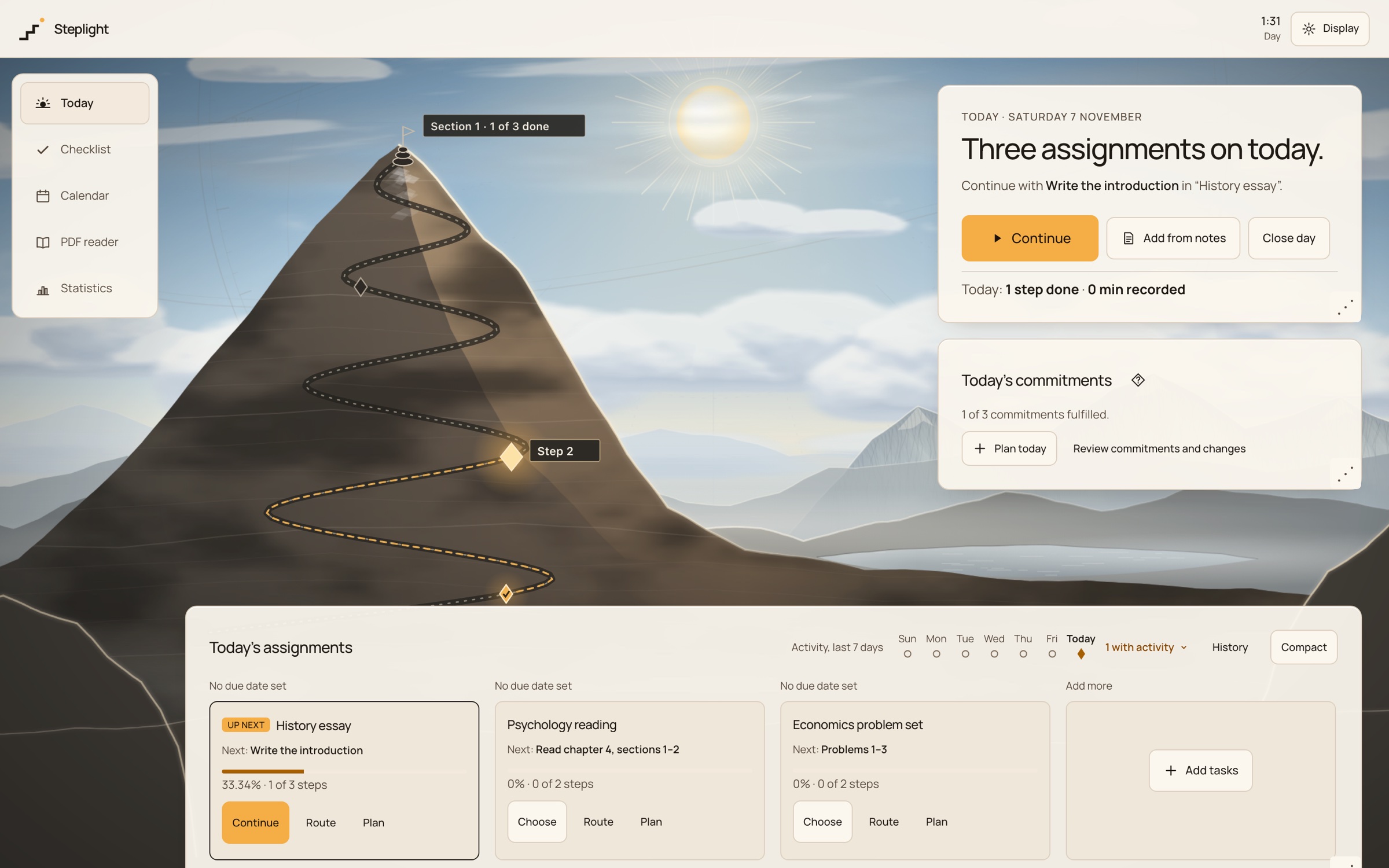
- The route on the mountain is the same plan: each node is a section, and the lit one is the next step.
- Assignments carried over from earlier days stay under Today, marked with the day they came from.
- Role
- Designer & builder (solo)
- Timeframe
- Oct 2026 – Present
- Team
- Solo, designed and built with AI-assisted tools
- Tools / stack
- React, TypeScript, Vite, IndexedDB (Dexie), Playwright
- Status
- Working beta, local-first · Steplight is a working name
The problem
Students juggling reading, practice, writing and projects need help starting and keeping going, not another tool that does the work for them.
Steplight is local-first: plans, notes and times stay in the browser on one device, with no account. It doesn't write, answer or summarise anything, and it never treats activity as proof of learning. A timer records time, not attention.
My role
I designed and built Steplight on my own, using AI-assisted tools. I chose the visual direction, a mountain you climb through the day, and made the design calls along the way: where the timer sits, how the checklist behaves, and what closing the day should feel like. I wrote each decision down in my own words as I made it. AI coding agents wrote the code on branches I directed and reviewed. The one thing that never moved was the starting point: the day begins with a checklist.
Decisions & what changed
A checklist that behaves like a notes app
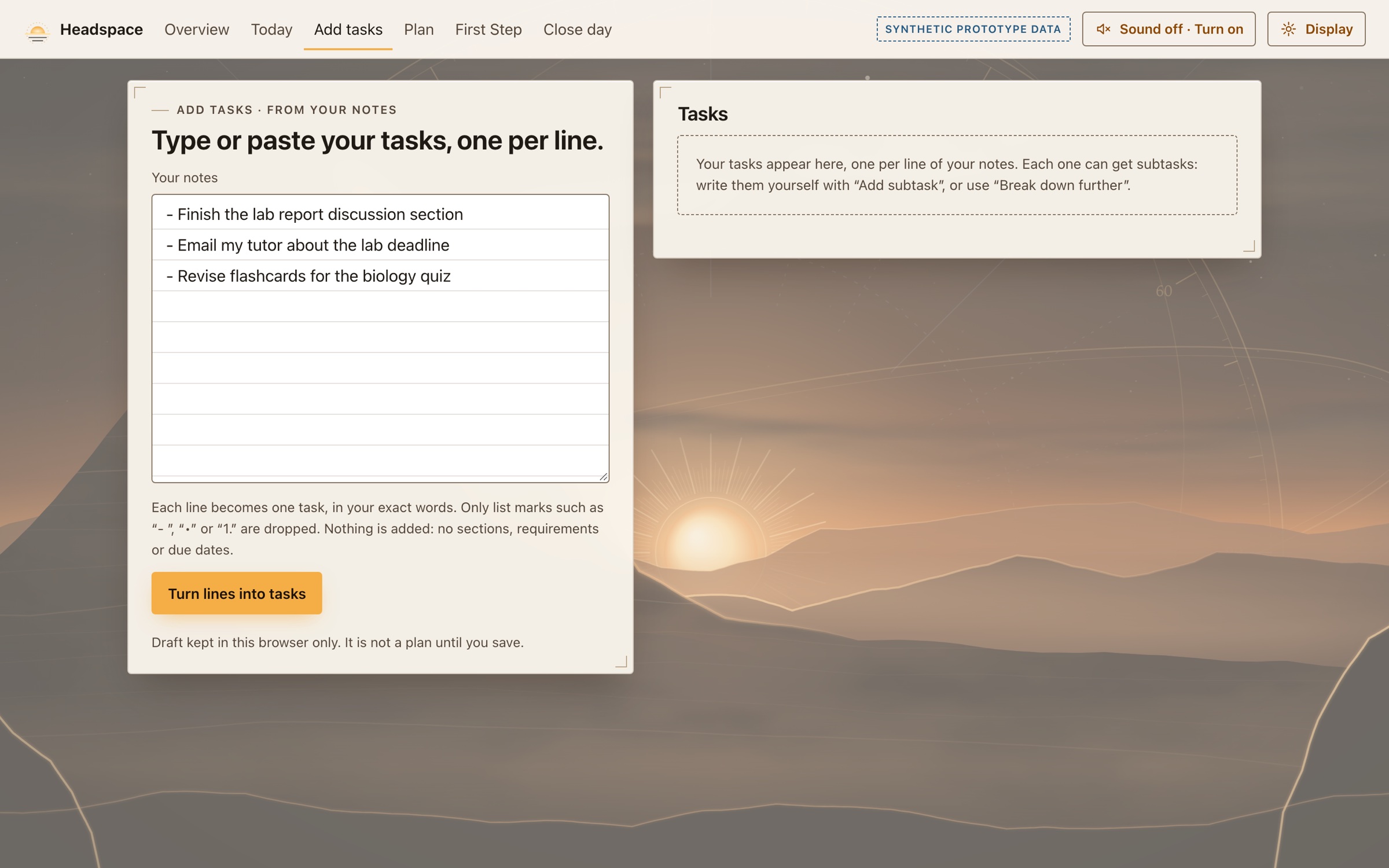
I wanted the daily list to work like a notes app: type a line, press Enter, and the next row is ready, with no empty records. Items tick off or move to tomorrow, and anything unfinished comes back under Today, marked with the day it came from, without reopening that day. My first prototype made you paste lines into a box and convert them; now you write straight into the list.
Evidence · Design notes, 29 Oct 2026 · the app’s own description, “A Notes-style daily list” · checklist end-to-end test
Inspect the rejected option
My first prototype (12 Oct) put a separate paste-and-convert step between typing and the list; the final Checklist adds items inline.
 (enlarge)
Earlier · 12 Oct prototype: paste lines, then convert (under its former name) 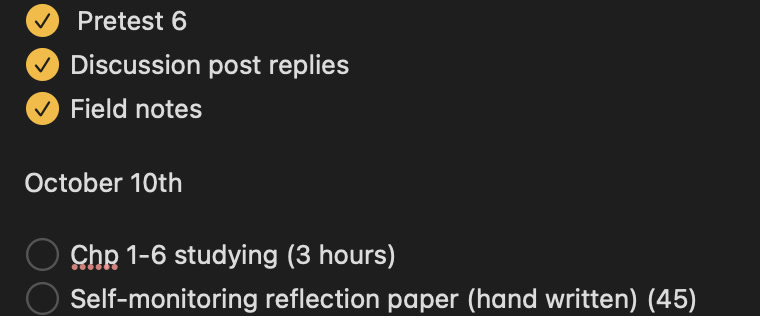
Before Steplight: the notes-app checklist I and other students already used. These are my own notes from October 2026. 
I wanted to keep the simplicity of a notes-app checklist and give it a setting I'd look forward to opening. Focus means one centred timer and nothing else asking for attention
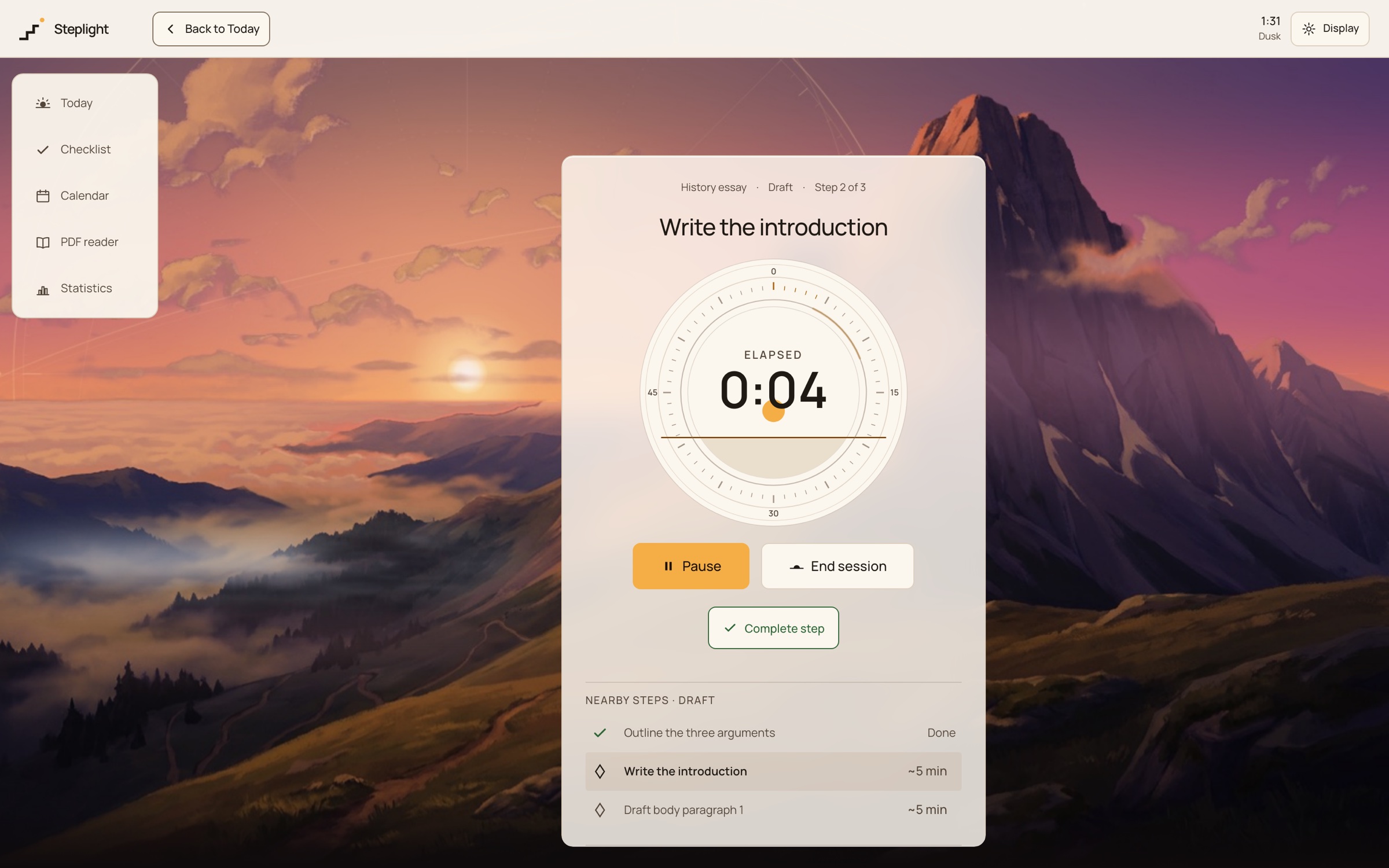
During a focus session the only thing asking for attention should be the timer. I centred it under the navigation, left Complete step alone beneath the controls, and took the explanatory text off the page: how the timer measures time belongs in the docs, not in front of someone trying to work. The scenery holds still apart from a slow drift, with no shooting stars and no moving route. A soft arc fills around the dial as a work block runs.
Evidence · Design notes, 27 and 29 Oct 2026
Inspect the rejected option
A timer placed to the side, removed on 29 Oct, and explanations that stayed under the controls.
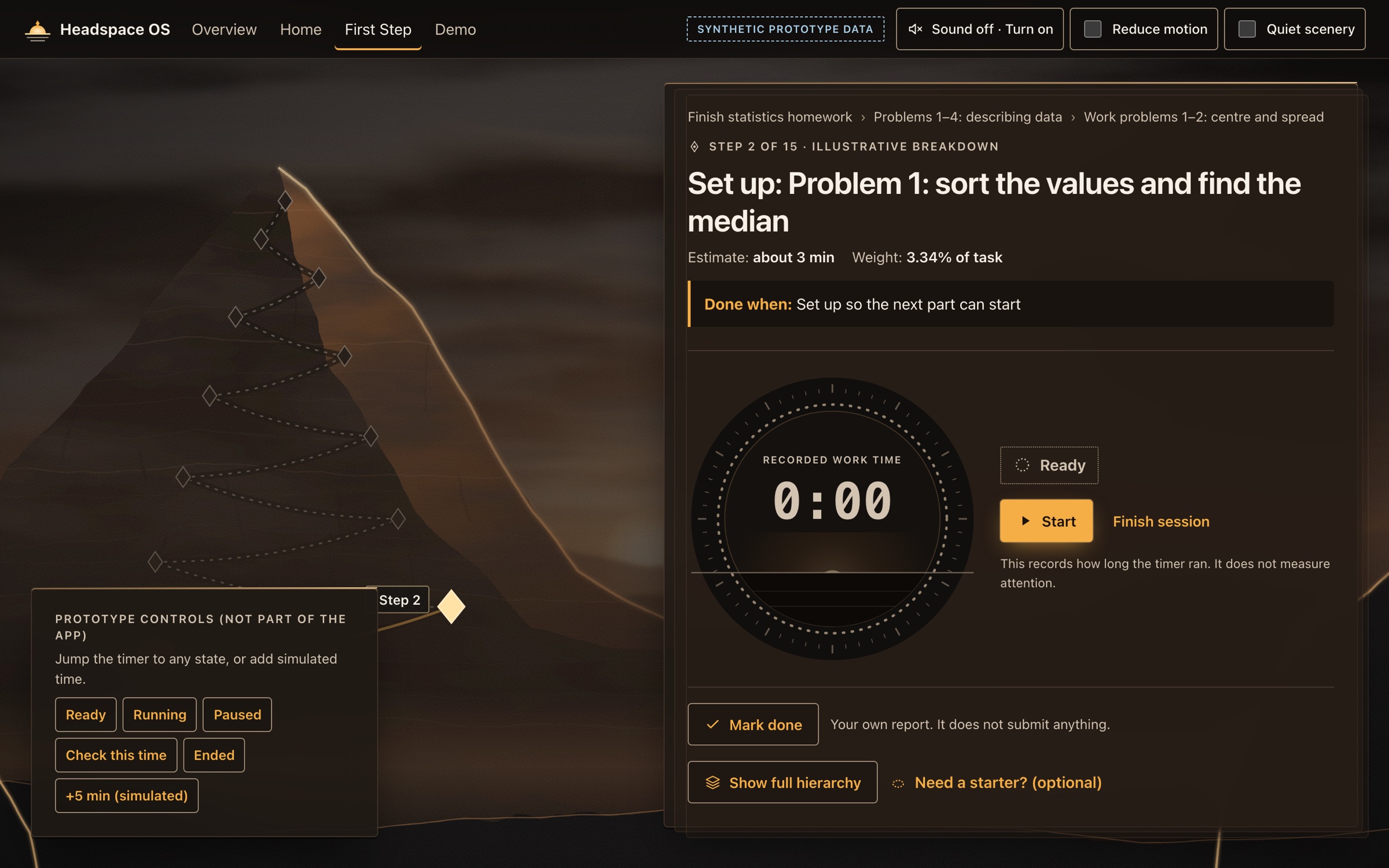 (enlarge)
Earlier · 11 Oct prototype: the timer in a side panel with notes underneath (under its former name) 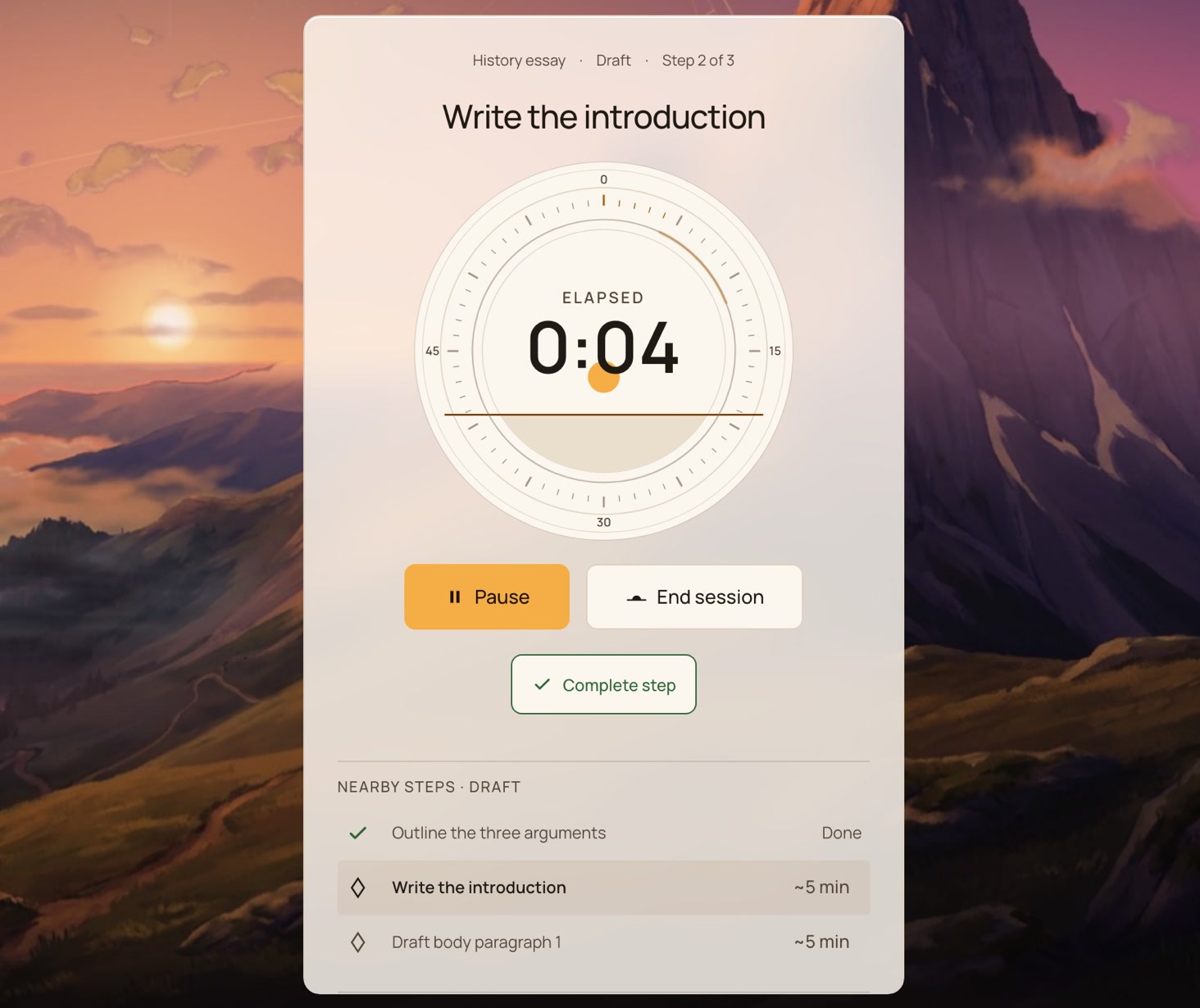
Close-up · the centred timer while a session runs (synthetic data) Closing the day gets its own payoff
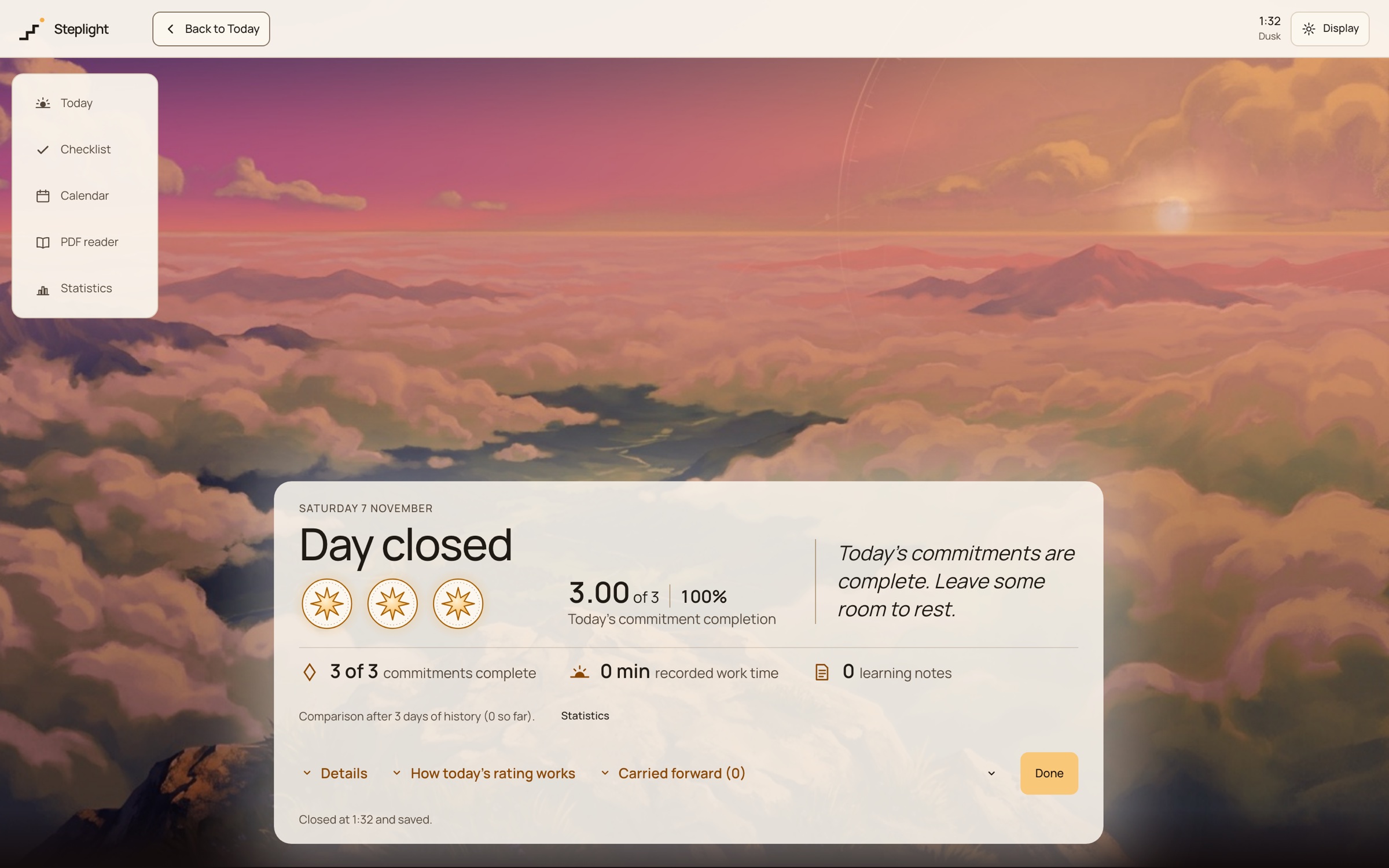
I gave the app exactly one moment with a reveal: closing the day. The view moves in, fog clears to a viewpoint set by the day’s rating (trail, ascent or summit), the stars you earned land, and only then does the panel open into the full result. My note on it was simple: start compact on the scenery, show the real earned rating with the existing animation, and expand only once the reveal has finished. Reaching the top of a single timer stays quiet, so the celebration belongs to finishing the day. The design notes are explicit that the stars are a product hypothesis, not a demonstrated motivational effect.
Evidence · Design notes, 27–28 Oct 2026 · close-day end-to-end test · behavioural design doc
Inspect the rejected option
A “Hide medals” control on the Day-closed panel. Since 28 Oct the medals always show, with a compact/expand toggle instead.
Close day in real time (9.6 s): fog clears to the summit, three earned stars land, the panel expands. Synthetic day.
What was built
- Today: the day's commitments on a painted mountain, each section a node on the route.
- Checklist: inline writing, Move to tomorrow, and unfinished items carried forward.
- Timer: Work block or Stopwatch; End session stays separate from Complete step; timers survive reloads.
- Close day: an explainable 1–3 star result with commitments, recorded time and learning notes; Reopen today.
- Local-first storage with export/import, light and dark themes, and four time-of-day sceneries.
Something real to look at
Outcomes
- Status
- Working beta, local-first, no account
- Verified · source noted · The app’s README
- User outcomes
- Not measured yet
- Not yet verified · The star ratings and the close-day payoff are written up in the docs as hypotheses to test